Log Entry Details
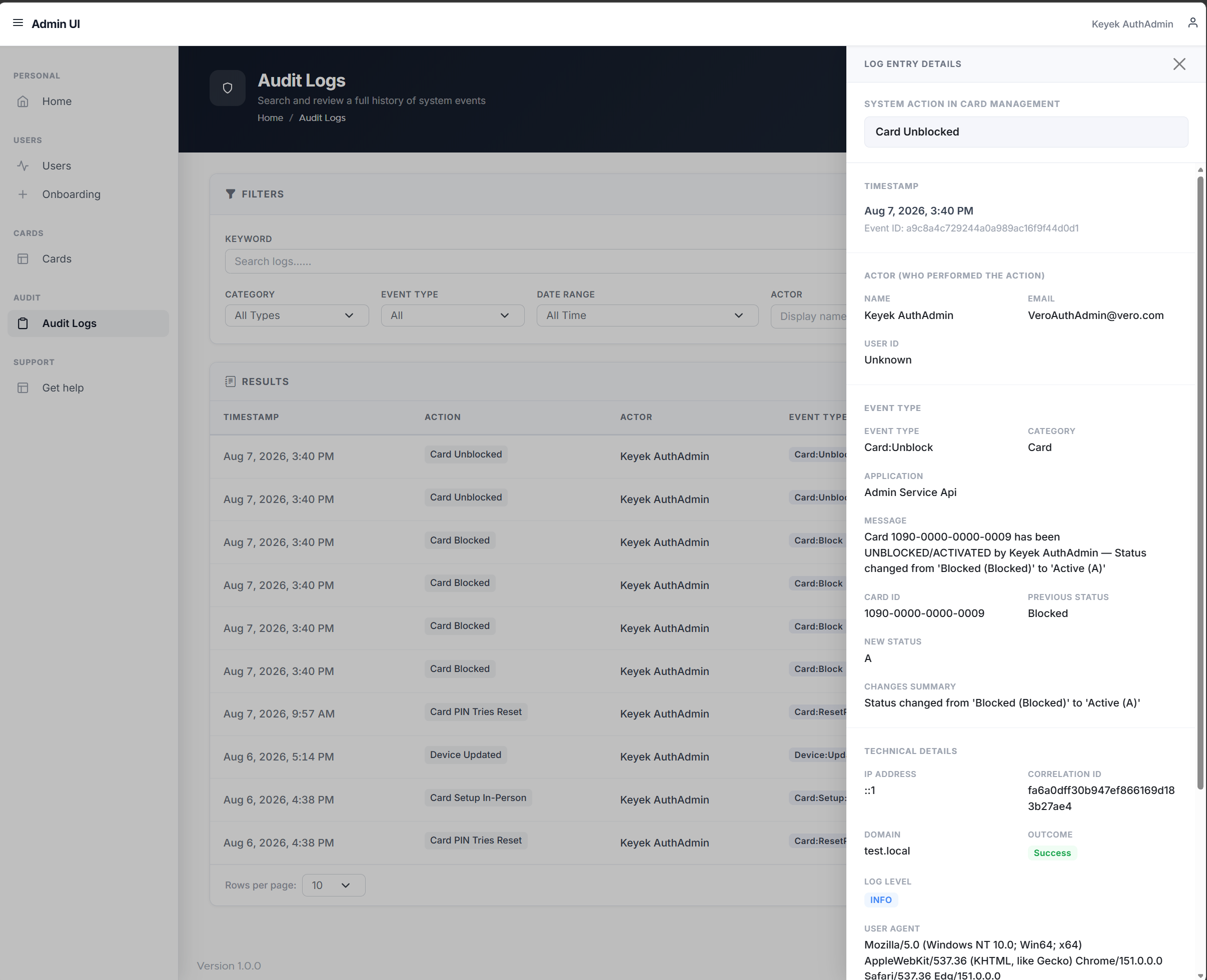
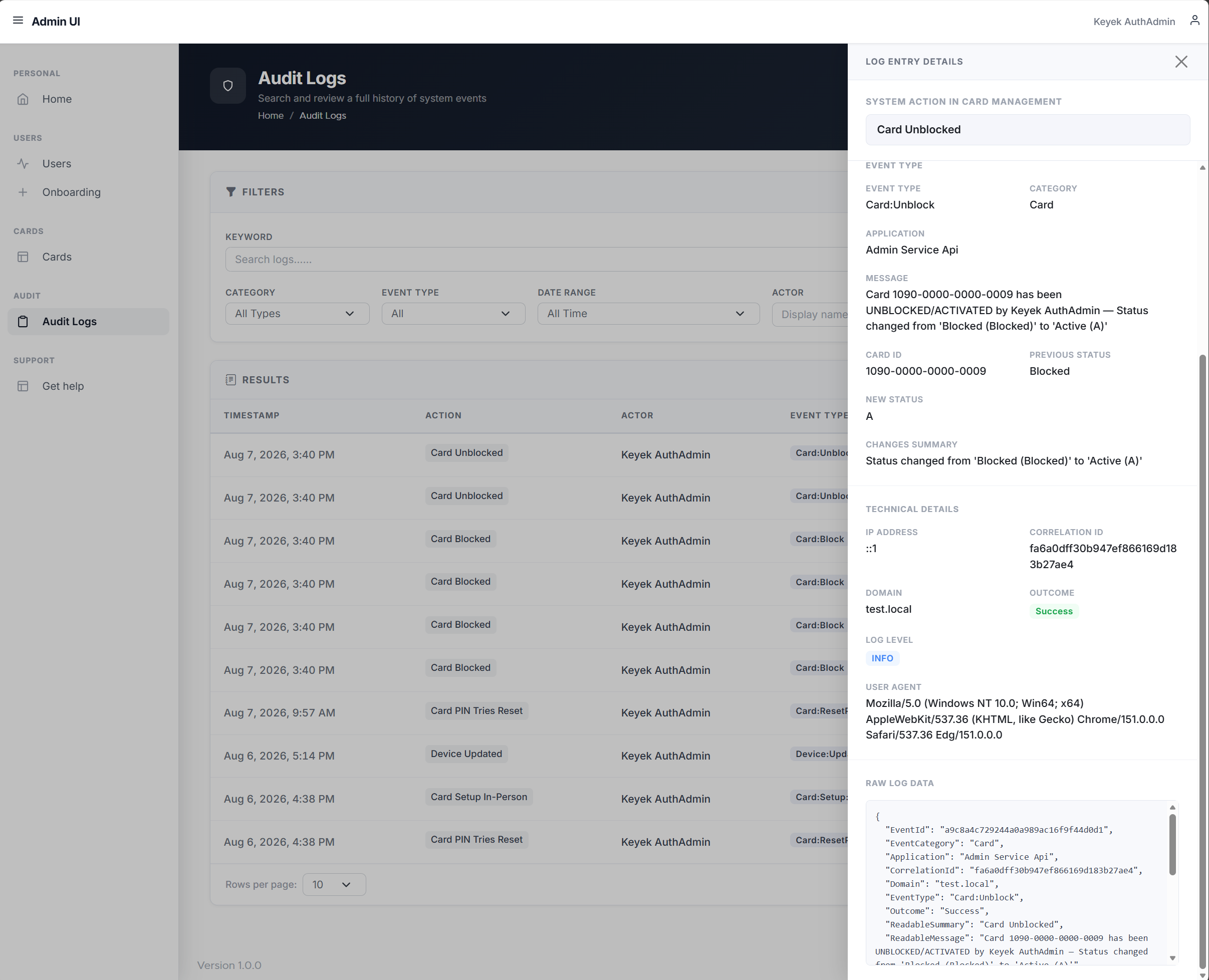
The Log Entry Details panel provides a complete view of a single audit log event, giving administrators the full context behind an entry without leaving the Audit Logs search results.
From this panel, administrators can review:
-
When it happened: The exact timestamp of the event, along with reference IDs for tracing it in other systems if needed.
-
Who was involved: The user who performed the action, along with their identifying details.
-
Event Type: The category and type of event, along with a clear description of what happened and any additional context relevant to that particular action.
-
Technical Details: Supporting information such as IP address, outcome, and other metadata useful for deeper investigation when required.
This detailed view ensures that any entry in the Audit Logs list can be fully investigated on its own, giving administrators the context needed for compliance reviews, troubleshooting, and security investigations.
To open this view, navigate to Audit Logs and click View details on any row in the results table. The panel opens alongside the current search, so administrators can close it and return to their results without losing their place.